


Signed out, Buy Now asks for your name, email and address, then a card. The purchase opens a Sellwild account under that email, or adds the order to the one you already have. View Order emails you a code to get into it.
Buy without an account
- Press Buy Now
Open a listing that shows Buy Now and press it. The checkout opens with My Shipping Address.
- Enter your name and email
Name needs a first and last name. Your receipt and order updates go to the Email Address.
- Find your address
Start typing in Address and pick your address from the list. Add a flat or unit number in Apt, suite, unit, c/o (optional). To change the address, press the ✕ on it and search again. On a computer the ✕ shows when you point at the address.
- Pick a shipping method
Rates load under Shipping Method once the address is complete. The first one is picked. Press another to switch.
- Press Proceed to Payment
Anything missing is marked in red, and the page scrolls to it.
- Pay
Under Select Payment Method, press Card and type in your card. Other ways to pay, such as Cash App Pay, are listed under it. Then press Pay and the amount.


The note under Pay says it: this only authorizes the amount, and you are not charged until the seller accepts your order. Stripe's Save my information for faster checkout box is optional.
If you close the page, this browser keeps what you typed for 30 days, so it is filled in when you come back.
When the address won't come up
Press Enter address manually under the address box. Fill in Street address, City, State and ZIP code, and pick the Country. Addresses in the United States and Canada are taken. Use address lookup goes back to the list.
If you typed an address but never picked one, Proceed to Payment stops with "Pick your address from the suggestions".


Already have an account
Press Login next to "Already have a Sellwild Account?" at the top. Once you are in, the page uses your saved addresses and cards, as in How to Buy.
After you pay
A receipt opens with Order Placed and the Total Held, and a copy is emailed to you.
Your email decides where the order lives. If it already belongs to a Sellwild account, the order is added there. If not, the purchase makes a new account with your name, saves your address and card to it, and sends a welcome email.
- Press View Order
The button reads "Opening your order..." while the account is set up.
- Enter the code
The sign-in window opens at the code step, and a code goes to your email. Type it in. If it doesn't arrive, see Sign-in Help.
- See the order
You land on the order in My Purchases.
Next Steps

How to Buy
Find an item, check out with your saved address and card, and see what you pay.
Creating an Account
Sign in or sign up with a 6-digit code, or with Google, Apple or Facebook. No password.

Tracking Your Order
What each order status means, where the tracking number is, and how to confirm you got it.

Order Disputes
Open a dispute when an order goes wrong, and what happens after you do.
More Buyer Guides
Sign-in Help
What to do when a sign-in code does not arrive, is refused, or a sign-in link has expired.
Search and Filters
Find items by keyword or category, narrow them in the Filters panel, and hide rows you don't want.

The Listing Page
What a listing shows, why it says Buy Now, Contact Seller or View Deal, and how to report one.
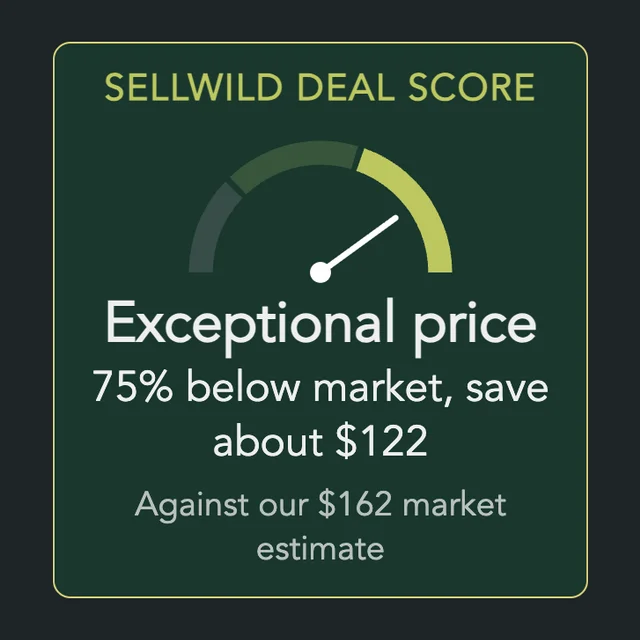
The Sellwild Deal Score
What the Deal Score on a listing means, and how we decide a price is a deal.
Chatting with Sellers
Message a seller from a listing or an order, and what stops a message from sending.

My Purchases
Find an order, filter it by status, and read what you paid.

Cancelling an Order
Cancel an order before the seller accepts it, and what happens to the hold on your card.

Manage Chats
Find a conversation, see what is new, reply, and copy or delete messages.

Blocking and Reporting
Stop someone from messaging you, and report them to the Sellwild team.

Manage Wishlist
Save listings with the heart, then find, buy or clear them from your Wishlist.
