


Sellwild Guides
Help articles for buyers and sellers
For Sellers

Selling Your First Item
Post a listing from start to finish

Taking Great Photos
Photo tips and the built-in photo editor

Pricing Your Item
Set a price, get an AI suggestion, and see what you earn

Packaging and Weight
Pick the box, give its weight, and set where it ships from

Ship an Order
Approve a sale, print the label, and mark it shipped
Buy a Shipping Label
Get a USPS label for an order paid without one

Getting Paid
Set up payouts with Stripe and know when money moves

Fees and What You Earn
What the buyer pays and what Sellwild keeps

Manage Sales
Find an order, read what you earn, cancel or handle a dispute

Manage Wallet
Your Stripe balance, earnings and saved cards

Manage Listings
Find, filter, relist or archive your listings

Edit, Mark Sold or Delete
Change a live listing or take it down
Manage Discounts
Coupons, BOGO promotions and timed discounts in one place
Choose Listings for a Discount
Add a discount to one listing or your whole shop
Coupons & Promo Codes
Take money off by itself or with a code

Timed Discounts
Lower a price on a schedule, down to a floor

BOGO Coupons
Reward buyers with a code for their next purchase
Shipping Settings
Label size, default packaging and ship-from address

Manage Addresses
Add addresses and choose your default

Manage Profile
Change your photo, name and email, sign out, or deactivate your account
Storefront Username
Pick the name in your store's web address. You can change it once.

Notification Preferences
Choose which emails you get and when digests arrive
For Buyers

Creating an Account
Sign in or sign up with a 6-digit code, or with Google, Apple or Facebook. No password.

How to Buy
Check out with your saved address and card
Search and Filters
Find items by keyword, category and filter

The Listing Page
Buy Now, Contact Seller or View Deal, and reporting
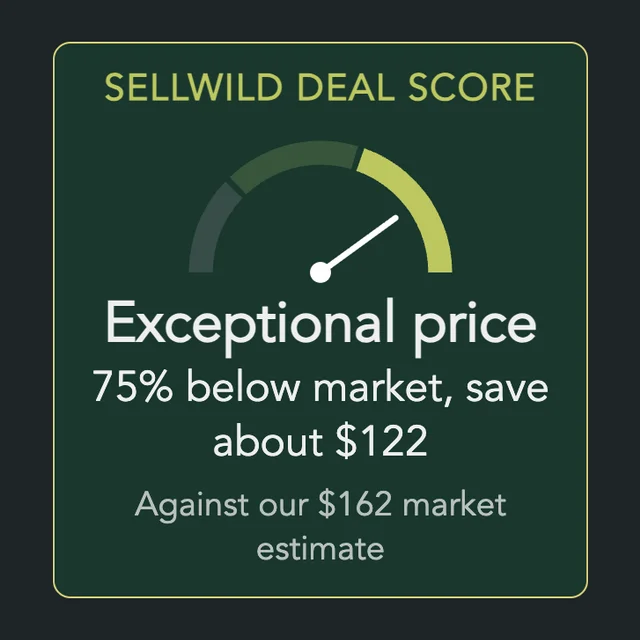
The Sellwild Deal Score
What the score means and how we find a deal

Guest Checkout
Buy without an account, then find your order

Chatting with Sellers
Message a seller from a listing or an order

Tracking Your Order
What each status means and how to confirm delivery

My Purchases
Find an order, filter it by status, and read what you paid

Cancelling an Order
Cancel before the seller accepts

Order Disputes
Open a dispute and what happens after

Manage Chats
Find, read, copy or delete your conversations

Blocking and Reporting
Stop someone from messaging you, and report them

Manage Wishlist
Save listings with the heart and buy them later

Sign-in Help
When a code does not arrive or is refused
