


You see the full total, fee and tax included, before checkout. Only Buy Now items are paid for on Sellwild; the rest go through a chat or a partner store. Reports go to the Sellwild team from the ... menu.
What a listing shows
The page opens on the photos, the title and the seller's name, with a share button and a ... button beside the name. Then come the price and where the item is.
Beside the price are the heart, which adds it to your Wishlist, and the chat button. The description shows the condition and size before the text. Read More opens the rest.
Further down are Similar Listings and, when the seller has more, More from the seller.


The price box


Purchase Details adds up what checkout will ask for:
| Line | What it shows |
|---|---|
| Price | The seller's price. A sale shows Original, Discount and Sale Price instead. |
| Shipping | A quote from the seller to you. Calculating... while it loads. Arranged Separately when you and the seller sort it out yourselves. |
| Processing | 2.9% of the price and shipping, plus $0.30. |
| Est. tax | Only where tax applies, with the rate beside it. |
| Total | The sum. A dash while shipping loads. |
Signed in, shipping is quoted to your default address. Signed out, it goes to your rough location. Checkout quotes again for the address you ship to, so the numbers can move a little.
Buy Now, Contact Seller or View Deal
The button under the box says how you can buy the item:
- Buy Now opens checkout. The seller is verified to take payments on Sellwild and the item ships.
- Contact Seller opens a chat. The seller isn't set up to take payments yet, or the item doesn't ship, so you agree on payment and pickup with them.
- View Deal opens a partner store, such as Amazon or a car dealer, in a new tab. You buy it there, under their terms.
- Contact Shelter shows how to reach the shelter for a pet up for adoption.
- Sale Pending or Sold means someone has already bought it.


Sellers who can take Buy Now orders carry a Verified tag on listing cards and a Trusted Seller tip on their name.
Buyer Protection
A Buy Now listing shows a Buyer Protection card under the button: "Receive your purchase as described or your money back." It opens the full guarantee. If an order goes wrong, start with Order Disputes.
Report a listing
- Open the menu
Sign in, then press ... beside the seller's name.
- Pick a reason
Choose Report Spam, Inappropriate or Other.
- Say what's wrong
Other opens "Tell us what's wrong". Type the problem and press Send Report, or Nevermind to stop.


"We got your Report - Thanks!" confirms it reached the Sellwild team. On your own listing the same button opens your listing controls instead, covered in Edit, Mark Sold or Delete. To report a person from a chat, see Blocking and Reporting.
Share a listing
The share button offers Facebook, Twitter/X, Copy Link and Email. In the Sellwild phone app it opens your phone's own share sheet.
Next Steps

How to Buy
Find an item, check out with your saved address and card, and see what you pay.
Chatting with Sellers
Message a seller from a listing or an order, and what stops a message from sending.
Search and Filters
Find items by keyword or category, narrow them in the Filters panel, and hide rows you don't want.

Manage Wishlist
Save listings with the heart, then find, buy or clear them from your Wishlist.
More Buyer Guides
Creating an Account
Sign in or sign up with a 6-digit code, or with Google, Apple or Facebook. No password.
Sign-in Help
What to do when a sign-in code does not arrive, is refused, or a sign-in link has expired.
The Sellwild Deal Score
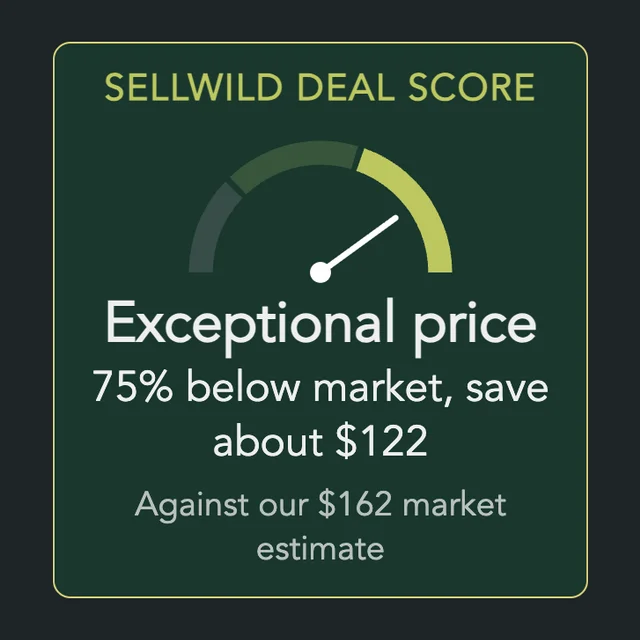
What the Deal Score on a listing means, and how we decide a price is a deal.

Guest Checkout
Buy without signing in first, and find your order afterwards.

Tracking Your Order
What each order status means, where the tracking number is, and how to confirm you got it.

My Purchases
Find an order, filter it by status, and read what you paid.

Cancelling an Order
Cancel an order before the seller accepts it, and what happens to the hold on your card.

Order Disputes
Open a dispute when an order goes wrong, and what happens after you do.

Manage Chats
Find a conversation, see what is new, reply, and copy or delete messages.

Blocking and Reporting
Stop someone from messaging you, and report them to the Sellwild team.
