


Checkout uses your default address, the rate you choose and a saved card. The money is only held until the seller accepts. Processing is 2.9% plus $0.30, and tax shows only when the order is taxed.
Find something to buy
Type in Search Sellwild at the top, or pick a category in the bar under it. Search and Filters covers filters and hiding rows.
Open a listing to see its photos, its price and the button that says how you can buy it. Only listings with Buy Now can be paid for on Sellwild. The Listing Page explains the other buttons.


Check out
These steps are for a signed-in buyer. Without an account, see Guest Checkout.
- Press Buy Now
The checkout opens, with the listing under Order Details.
- Check the address
My Shipping Address shows your default address. To ship somewhere else, press Change Shipping Address and pick another one from your address book.
- Pick a shipping method
Each option under Shipping Method shows the carrier, the service, the days it takes and the price. The first one is picked for you. Press another to switch, and the total updates.
- Press Proceed to Payment
The left side changes to Select Payment Method.
- Pick a card and pay
Your saved cards show, with the first one picked. Tap another to use it, or press Add Payment Method to type in a new one. Then press Pay and the amount.


With no saved card, the card form opens by itself. A card you add at checkout is saved to My Wallet for next time.
To go back a step, press Ship To: in Order Details.
What you pay


| Line | What it is |
|---|---|
| Listing Price | The seller's price. When a seller's sale applies by itself, this line reads Price and shows the old price crossed out. |
| Coupon | A code you applied, taken off the item. |
| Shipping | The rate you picked. Reads Arranged Separately when you and the seller sort out delivery yourselves. |
| Processing | 2.9% of the item and shipping, plus $0.30. |
| Sales tax | Shown only when the order is taxed, with the rate beside it. |
| Total | What is held on your card. |
Arranged Separately shows for vehicles, for orders going to another country, and when the seller has no address to ship from. Shipping is not charged, and you settle it with the seller in chat.
If no rate loads for a parcel, Shipping reads No Shipping and checkout won't take payment. The address you entered is the usual cause.
Use a coupon
- Open the coupon box
Press Apply coupon under the total in Order Details.
- Type the code
Enter it in Coupon code and press Apply.
- Check the total
A Coupon line shows the code and the amount off.


A code that fails says why, for example "This coupon has expired" or "Minimum purchase of $25.00 required". A link with ?coupon= and a code at the end applies it as the checkout opens.
After you pay
A receipt opens with Order Placed, the Total Held and two buttons: Keep Shopping and View Order. A copy is emailed to you.
The order is in My Purchases, where you follow it from acceptance to delivery.
When checkout stops you
- Someone else is buying it: "This item has a sale pending and is no longer available for checkout."
- It sold or was taken down: "This item is no longer available for purchase."
- You are the seller: "This is Your Listing".
- The seller can't take payments yet: "This seller has not completed their Stripe Connect setup." Message them instead.
Next Steps

Guest Checkout
Buy without signing in first, and find your order afterwards.

The Listing Page
What a listing shows, why it says Buy Now, Contact Seller or View Deal, and how to report one.

Tracking Your Order
What each order status means, where the tracking number is, and how to confirm you got it.
Chatting with Sellers
Message a seller from a listing or an order, and what stops a message from sending.

Manage Wallet
Check your Stripe balance, read your earnings, and manage the cards you pay with.
More Buyer Guides
Creating an Account
Sign in or sign up with a 6-digit code, or with Google, Apple or Facebook. No password.

Sign-in Help
What to do when a sign-in code does not arrive, is refused, or a sign-in link has expired.
Search and Filters
Find items by keyword or category, narrow them in the Filters panel, and hide rows you don't want.
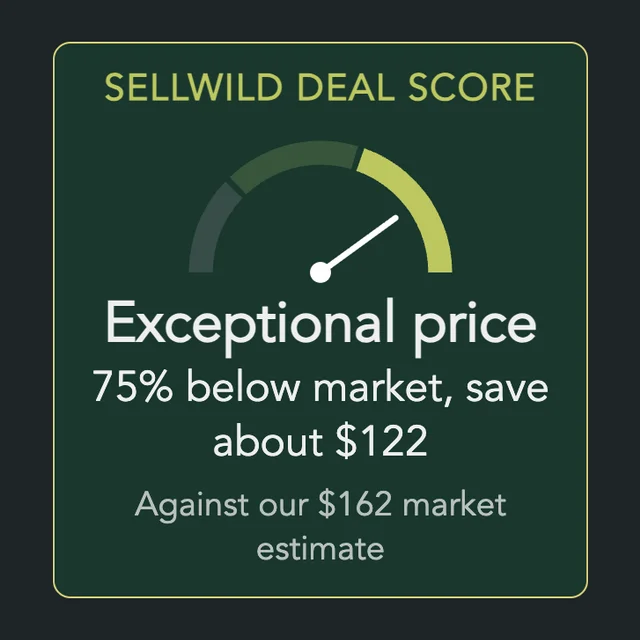
The Sellwild Deal Score
What the Deal Score on a listing means, and how we decide a price is a deal.

My Purchases
Find an order, filter it by status, and read what you paid.

Cancelling an Order
Cancel an order before the seller accepts it, and what happens to the hold on your card.

Order Disputes
Open a dispute when an order goes wrong, and what happens after you do.

Manage Chats
Find a conversation, see what is new, reply, and copy or delete messages.

Blocking and Reporting
Stop someone from messaging you, and report them to the Sellwild team.

Manage Wishlist
Save listings with the heart, then find, buy or clear them from your Wishlist.
