


Every conversation you have as a buyer or a seller is in My Chats, grouped by person or by listing. A New badge counts messages you have not read, and opening the conversation clears it. Deleting one of your messages removes it for both of you; deleting a conversation removes it only from your list.
Find a conversation
Open your account and pick Chats in the side menu. The newest conversations are at the top.


Two tabs sort the same conversations two ways:
- Chats by User has one row per person. Tap it to see each listing you talked about.
- Chats by Listing has one row per item. Tap it to see each person who asked about it, marked Buyer or Seller. Verified in front means they can take payment on Sellwild.


An open row shows the last message, who sent it, and the date and time.
The list shows 50 conversations at a time. If you have more, Load More Conversations at the bottom adds the older ones.
If you have no chats yet, the page says You Have No Chats with a Browse Marketplace button.
What the New badges mean
New and a number count messages you have not read. The number on Chats in the account menu counts them across all your chats.


Opening a conversation marks it read. The badge in the account menu goes at once. The one on the row stays until the list reloads, so you can still see where the new messages start.
Read and reply
Tap a conversation in an open row. The person is at the top, with the listing beside them. Tap the listing to open its page.


A New line sits above the first message you had not read. Type in the box at the bottom and press the arrow or Enter.
The conversation takes the place of the list. To get back, tap My Chats at the top of the page. The app on a phone shows the same screens.


Copy or delete messages
Tap one of your own messages for its menu. Other people's messages have no menu.


In the list, each listing in an open row has dots that open its conversation's menu: View Messages, Delete Conversation and Copy Whole Thread. Copy Whole Thread copies every message, one per line, with the date, the time and who sent it. The conversation you have open stays open.


Delete Conversation removes the conversation from your list only. The other person still has all of it, and so does Sellwild Support if there is an order problem. If they write again, the conversation comes back to your list, showing only the messages sent after you deleted it.
If you're the seller
Buyers start chats about your listings, and you answer them here. Your own listing shows the chat button once a buyer has written. It opens that chat here, or this list when more than one buyer has written. Once someone buys, Securely Chat on the sale in My Sales opens your chat with the buyer.
Get told about new messages
The bell shows New message from and the sender's first name for each message you get. Choosing one takes you to that conversation.
You also get an email for each message. To turn those off, or to add a daily or weekly Chat digest of unread chats, see Notification Preferences.
Next Steps

Chatting with Sellers
Message a seller from a listing or an order, and what stops a message from sending.

Blocking and Reporting
Stop someone from messaging you, and report them to the Sellwild team.

My Purchases
Find an order, filter it by status, and read what you paid.

Notification Preferences
Choose which emails Sellwild sends you, set when digests arrive, and unsubscribe from one email.
More Buyer Guides
Creating an Account
Sign in or sign up with a 6-digit code, or with Google, Apple or Facebook. No password.
Sign-in Help
What to do when a sign-in code does not arrive, is refused, or a sign-in link has expired.

How to Buy
Find an item, check out with your saved address and card, and see what you pay.
Search and Filters
Find items by keyword or category, narrow them in the Filters panel, and hide rows you don't want.

The Listing Page
What a listing shows, why it says Buy Now, Contact Seller or View Deal, and how to report one.
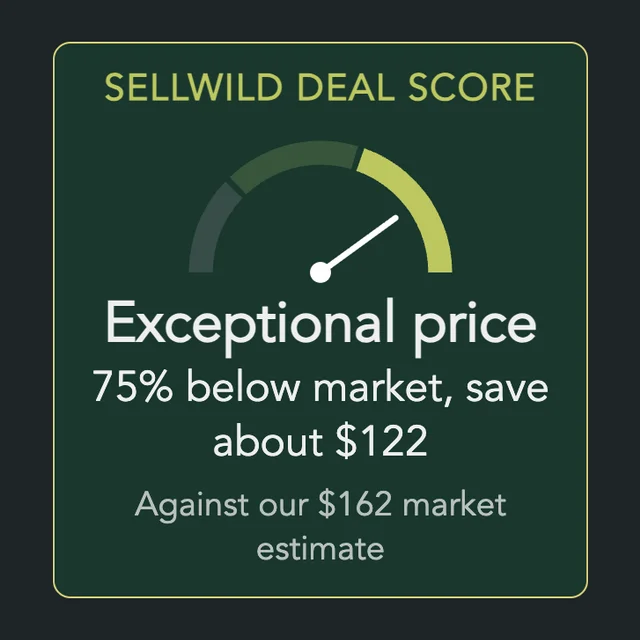
The Sellwild Deal Score
What the Deal Score on a listing means, and how we decide a price is a deal.

Guest Checkout
Buy without signing in first, and find your order afterwards.

Tracking Your Order
What each order status means, where the tracking number is, and how to confirm you got it.

Cancelling an Order
Cancel an order before the seller accepts it, and what happens to the hold on your card.

Order Disputes
Open a dispute when an order goes wrong, and what happens after you do.

Manage Wishlist
Save listings with the heart, then find, buy or clear them from your Wishlist.
